
PakTop Game APK Review: A Friendly Guide to Downloading and Getting Started
updatedSize
10MBVersion
V1.0.5Requirements
AndriodDownloads
54k
Description
Are you looking for the PakTop Game APK and want to know what to check before downloading it? This guide is here to help. We’ll explain what an APK is, how to review a download listing, what to consider before creating an account, and how to check whether payment options such as JazzCash or Easypaisa are available.
We’ll keep things simple and friendly. An APK is a file used to install an Android app, but a file’s name alone can’t tell you who published it or whether it’s the right one. App features and payment methods can change, too. So, before you install PakTop or send money through any service, take a moment to verify the details from a source you trust.
You can browse APKSlotsGames.pk and explore its sections for latest APKs, popular APKs, and updated APKs. If a PakTop listing is available, check its details and make sure they match the information provided by the app publisher. If you don’t see a verified listing, don’t download a similarly named file from an unknown website just to get started.
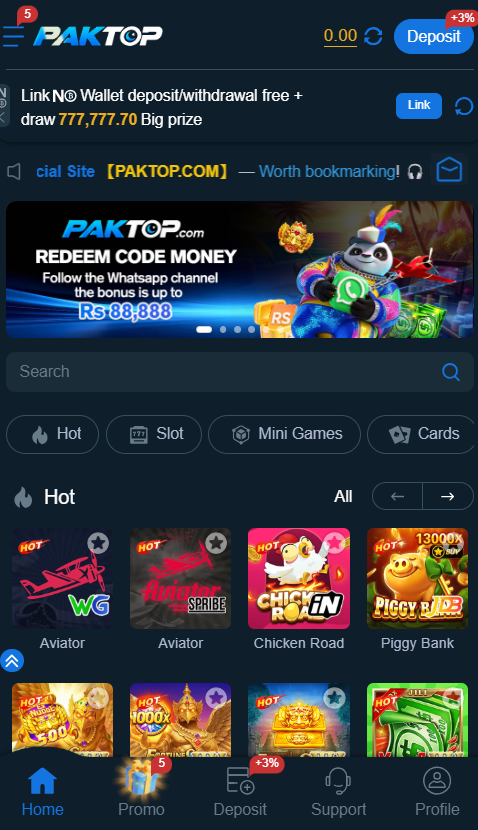
What is the PakTop Game APK?
PakTop Game APK is a search phrase used by people looking for an Android gaming or casino app. APK stands for Android Package Kit. It’s the file format Android uses to install apps. Some Android apps are installed through an app store; others may be offered as a downloadable APK file.
The APK format itself isn’t a safety label. A legitimate developer may provide an APK, but a file can also be altered, renamed, or repackaged by someone else. Two files with similar names may come from different sources and contain different software. That’s why it’s worth checking who publishes the file—not just whether the download button looks convincing.
Before downloading, try to confirm:
- The name of the developer or company behind the app.
- Whether the app listing gives a current version and description.
- Whether the publisher provides a privacy policy and terms of service.
- How users can contact the company if they need help.
- Whether the app is available and lawful to use in your location.
- Whether any claimed gambling licence can be checked with the relevant regulator.
A clear app listing is a useful first step, but it doesn’t answer every question. For example, a download page may describe an app as a casino game without confirming the company that operates it, the games currently available, or the payment options it supports. When a detail matters—especially one involving personal information or money—check it directly with a verified publisher or official service.
Finding the right PakTop Game download
When people search for an APK, they often want a quick download. That makes it easy to click the first result without checking the source. A few extra seconds of checking can help you avoid a lookalike page or an outdated file.
Start from a source you can identify, such as the app publisher’s official website or a clearly maintained app listing. You can also browse APKSlotsGames.pk to see what app information is available there. Check the actual page details rather than relying on the domain name or a search result alone. If there is a PakTop page, compare its developer name, app version, and description with the publisher’s own information.
Be careful with download pages that:
- Use a shortened or misspelled web address.
- Offer several confusing download buttons or redirect you to unrelated pages.
- Ask you to install other apps before providing the file.
- Tell you to turn off Android security protections.
- Promote a modded, unlocked, or guaranteed winnings version.
- Don’t identify a developer or provide terms and support information.
If something doesn’t look right, it’s okay to stop. You don’t have to install a file just because you’ve already opened the page. Search for the publisher’s official information or wait until you can verify the source.
How to check the PakTop Game app listing
Before installing, read the whole listing rather than just the title and download button. Look for the app version, last update, developer, supported Android devices, and a clear description of what the app does. If you’re unsure about a claim, compare it with information on the publisher’s verified website.
Screenshots can help you understand how an app is presented, but they’re not proof that the screenshots show the current app. Images can be outdated or copied. The same is true of promotional claims: a banner promising special bonuses or fast payments should lead you to detailed terms, not replace them.
For a casino-style app, it’s especially useful to check whether the listing explains:
- Who operates the service.
- Which countries or regions are accepted.
- Any age restrictions.
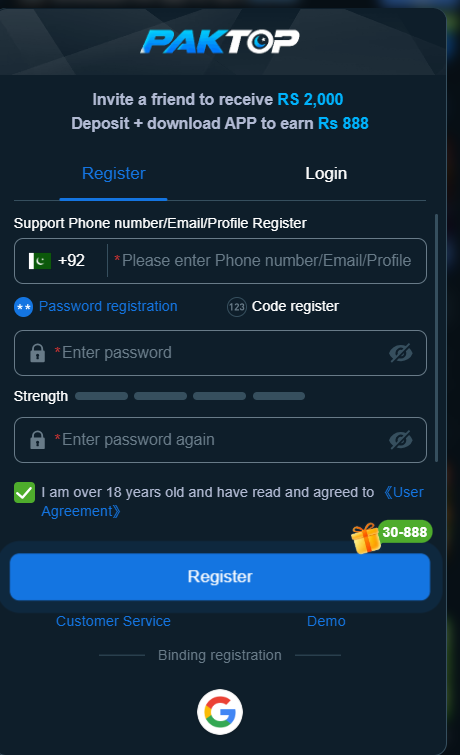
- How account registration and verification work.
- Where to find game rules and promotion conditions.
- What payment methods are supported, if any.
- How to contact support and make a complaint.
If the information is missing, unclear, or inconsistent between pages, treat that as a reason to pause and ask for clarification. It doesn’t automatically prove that an app is unsafe, but it means you may not have enough information to make a confident decision.
How to install an PAKTOP Game APK on Android
If you’ve checked the source and decided to install an APK, download it only from the listing or publisher source you trust. Android may ask you to allow installation from the browser or file manager you used. The setting’s wording and location can differ depending on your device and Android version.
Only allow installation if you’re comfortable with the file’s source. If you choose to proceed, grant permission only to the app you’re using to install the file. You can turn that permission off again afterward in your device settings.
Keep your phone’s operating system and security features up to date. If Android displays a warning, take a moment to read it instead of dismissing it automatically. Be especially cautious if a page asks you to disable security protections, install an additional unknown app, or provide access to features that don’t seem connected to the app.
After installation, check the app’s permissions in your phone settings. An app may need internet access to work, but requests for access to contacts, text messages, or accessibility controls may deserve a closer look. If you don’t understand why a permission is needed, don’t grant it until you’ve checked with the publisher.
PakTop Game features: what to look for
The exact features of an app can change, and I can’t confirm the current PakTop Game app catalogue or features from the name alone. If a listing mentions slots, live games, tournaments, rewards, or other options, check the current listing and the app’s own information before assuming those features are available.
A helpful app description should tell you what is included and where you can find the rules. For games, look for the game provider’s name and a clear explanation of how to access the game rules. For updates, check whether the publisher explains what has changed. For support, look for a contact method that appears on the publisher’s verified website—not only a social account or a chat link shared in a comment.
Avoid relying on vague statements such as many games, big rewards, or instant cash. Those phrases don’t tell you what’s actually available or what conditions apply. A friendly, straightforward listing should help you understand the app without making you guess.
Bonuses and promotions: read the conditions
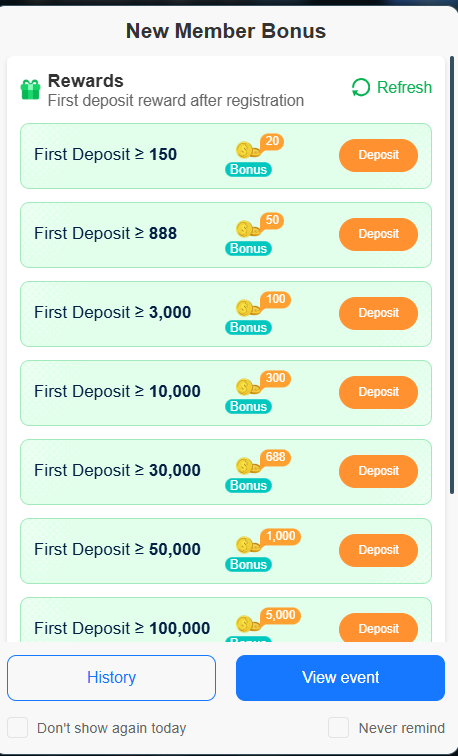
If the app advertises a welcome reward, bonus, cashback, or promotion, take a moment to read the full terms before accepting it. A large headline offer may have conditions that affect when it expires, which games count, or whether funds can be withdrawn.
Check for details such as:
- The promotion’s start and end dates.
- Who is eligible to claim it.
- Whether a minimum deposit is required.
- Any wagering or play-through requirements.
- Which games count toward those requirements.
- Maximum bet limits while a bonus is active.
- Withdrawal limits or restrictions.
- Whether accepting the offer changes how your account works.
If the terms aren’t available or are hard to understand, ask the operator for a clear explanation before opting in. You can always decide not to accept a promotion. A bonus is not guaranteed winnings, and it shouldn’t be a reason to spend more than you planned.
Paktop Game Deposits and Withdrawals: JazzCash and Easypaisa availability
A common question is whether a casino or gaming app accepts JazzCash or Easypaisa for deposits and withdrawals. I couldn’t verify that PakTop currently supports either wallet. Payment options can vary by app, operator, and location, so check PakTop’s current official payment page or verified support channel before expecting either option to work.
If PakTop lists JazzCash or Easypaisa, read the app’s payment instructions carefully. Confirm the recipient, amount, fees, and any account verification requirements before completing a transaction. Use only the payment flow described by the verified operator. Don’t send money to a personal wallet or account provided by an unknown person in a chat or social media message.
You can visit the official sites for JazzCash and Easypaisa to learn about those wallet services. These links are for the wallet providers’ information; they do not confirm that either wallet is connected to PakTop Game.
Before depositing, consider whether you understand the app’s rules and can afford to lose the amount you’re spending. Before requesting a withdrawal, check the written terms for minimums, processing times, verification steps, fees, and any withdrawal limits. Keep a receipt or transaction reference for your records.
Never share your wallet PIN, banking password, or one-time verification code with anyone claiming to be customer support. A legitimate support interaction shouldn’t require you to reveal a secret code that authorizes a transaction. If you receive an unexpected request for an extra payment to release a withdrawal, stop and confirm the situation through the operator’s verified support channel and your payment provider.
Is the PakTop Game APK safe?
There isn’t a reliable way to confirm that an APK is safe just from its name or download button. Start with the source: can you identify the publisher, and does the download link come from a page that the publisher controls? If the publisher details on the listing don’t match the details on the official website, don’t assume they belong to the same company.
A few practical steps can help you make a more informed choice:
- Check the publisher and domain. Look for consistent company details across the app listing, terms, privacy policy, and official website.
- Review permissions. Think about whether each requested permission makes sense for the app’s stated purpose.
- Keep your phone protected. Don’t disable security features because a download page tells you to.
- Avoid modified APKs. Files labelled mod, hack, or unlocked may be changed by someone other than the developer.
- Use a unique password. If you create an account, don’t reuse the password from your email or other important accounts.
- Read the privacy policy. Find out what information the app collects and how it is used.
- Be careful with support messages. Use contact details from the verified app or publisher page, not a number sent by a stranger.
A security scan may help detect some known threats, but a clean scan isn’t a guarantee that a file is genuine or safe. If you’ve installed an APK you now distrust, remove it, run a reputable security scan, and change any password you may have entered—especially your email password.
Is PakTop Game legitimate?
Legitimate can mean several different things. A website might exist, but that doesn’t prove the company is licensed to offer gambling. An app might be available to download, but that doesn’t establish whether it is lawful for you to use. And a positive review doesn’t prove how deposits or withdrawals are handled.
If the app offers real-money casino games, look for the operator’s legal name and any claimed licence. Check the licence on the regulator’s own website, and confirm that it belongs to the company operating the app and applies to the service offered in your location. A logo or badge on a download page isn’t enough if you can’t verify it independently.
Also review the operator’s terms for account verification, account restrictions, payment processes, complaints, and account closure. If important terms are missing, the operator’s identity is hard to find, or a claimed licence can’t be checked, it’s better to treat the information as unconfirmed.
User reviews can provide useful clues, but read them thoughtfully. Look for recent and detailed feedback across independent sources. One glowing testimonial—or one angry comment—doesn’t give you a complete picture. Repeated, specific reports about the same issue may be more helpful than generic praise.
Privacy and account security
If an app asks you to register, find out what personal information is required and why. Read the privacy policy before submitting your details. It should identify the company collecting the information, explain how the information is used, and describe how it is stored or shared.
If identity documents are requested, upload them only through a channel you have verified belongs to the operator. Be cautious about sending documents to an informal messaging account or an email address that you can’t connect to the company. A secure-looking webpage alone doesn’t prove that the page belongs to the right operator.
A few everyday habits can help protect your account:
- Choose a password you don’t use on other websites.
- Enable additional account security if it is available.
- Don’t save payment details on a phone other people can access.
- Log out when using a shared device.
- Don’t click unexpected verify your account links in messages.
- Open the app or official website yourself when you need support.
If you think someone else may have accessed your account, secure the email address linked to it first, change reused passwords, and contact the operator through a verified support channel.
Legal availability and age limits
Online gambling rules differ from one country or region to another. An app that is available in one place may be restricted or unlawful in another. Age requirements vary, too. Check the rules that apply where you live before registering or playing, and don’t use false details to bypass a location or age check.
Using a VPN or another method to get around an operator’s restrictions may breach its terms and could create problems with your account or funds. If you can’t tell whether the app is available in your location, ask the operator through a verified contact method—or choose not to use it until you can confirm.
Common problems and what to do
The Paktop Game APK won’t install
First, check that the file is intended for your Android version and came from a source you’ve verified. Read any Android warning carefully. Don’t download a second copy from an unknown mirror or switch off security settings just to force the installation.
The app crashes or won’t open
Check whether the publisher provides an update or device requirements. Restarting your phone may help with a temporary issue. If the problem continues, use the verified support details on the publisher’s website. Avoid giving account details to unofficial accounts that offer to fix the app for you.
You can’t log in
Use the password-recovery process shown in the app or on the verified website. Don’t share a one-time code with another person. If you suspect someone else has accessed your account, change your password and contact official support.
A payment is pending
Keep the receipt or transaction reference and check the payment terms. Use your wallet provider’s official app or website if you need to ask about a transaction. Be cautious if someone asks for another payment to release funds or asks for your PIN or verification code.
You want to close your account
Check the operator’s account-closure and self-exclusion information. If the instructions are unclear, contact support using a verified contact method. Keep copies of any relevant account or transaction records.
Enjoy gaming responsibly
If PakTop Game or another app offers gambling, treat it as entertainment—not as a way to make money. Games can result in losses, and there’s no guarantee that you’ll win or recover money you’ve already spent.
Before you play, decide how much time and money you’re comfortable spending. Stick to your limit, and don’t increase it to chase a loss. Avoid gambling with borrowed money or cash needed for rent, food, bills, or other essentials. If you’re feeling stressed or upset, taking a break can be a better choice than playing.
If the app offers spending, time, or self-exclusion controls, read how they work before you need them. If gambling is affecting your finances, relationships, work, or wellbeing, consider taking a break and speaking with someone you trust or a qualified local support service.
Final thoughts
The PakTop Game APK may be of interest if you’re looking for an Android gaming app, but a familiar name or quick download button isn’t enough to confirm who published a file or what the app offers. Check the listing, publisher, permissions, privacy information, and terms before installing. You can browse APKSlotsGames.pk and its latest, popular, and updated app pages, then verify important details with the app’s publisher.
For payment questions, check PakTop’s verified payment information directly. I couldn’t confirm that it accepts JazzCash or Easypaisa. The official JazzCash and Easypaisa websites explain the wallet services, but they don’t establish that either one is connected to PakTop.
Take your time, keep your information private, and only use an app if you’re comfortable with its source, terms, and legal availability.
Frequently asked questions
Where can I find the PakTop Game APK?
Start by checking the app listing on APKSlotsGames.pk and confirm that the developer and download source match the publisher’s information. If you can’t verify the file, don’t install it.
Does PakTop Game support JazzCash or Easypaisa?
I confirm that wallet is supported. Check PakTop’s current official payment information before making a deposit or requesting a withdrawal. The official JazzCash and Easypaisa sites explain their own services, but don’t confirm a connection to PakTop Game.
Is it safe to install an APK?
An APK can be safe when it comes from a verified publisher, but the file format alone doesn’t guarantee that. Check the source and permissions, and keep Android’s security protections enabled.
What should I check before depositing money?
Confirm that the app is available where you live, review its payment and withdrawal terms, and make sure you understand any fees and verification requirements. Only spend money you can afford to lose.
What should I do if a withdrawal is delayed?
Review the app’s written terms, save your transaction records, and contact the operator through a verified support channel. Don’t share your PIN or one-time code, and don’t pay an unknown person an extra fee to release funds.
How can I make the article images load quickly?
Use compressed WebP images, avoid unnecessarily large files, and set each image’s dimensions in your publishing editor. Use descriptive alt text that accurately describes the image. Don’t use a logo, screenshot, or security badge unless you have permission and can verify it is genuine.